EnProject Sound Studio
A downloadable Sound Effect Tool for Windows
EnProject Sound Studio
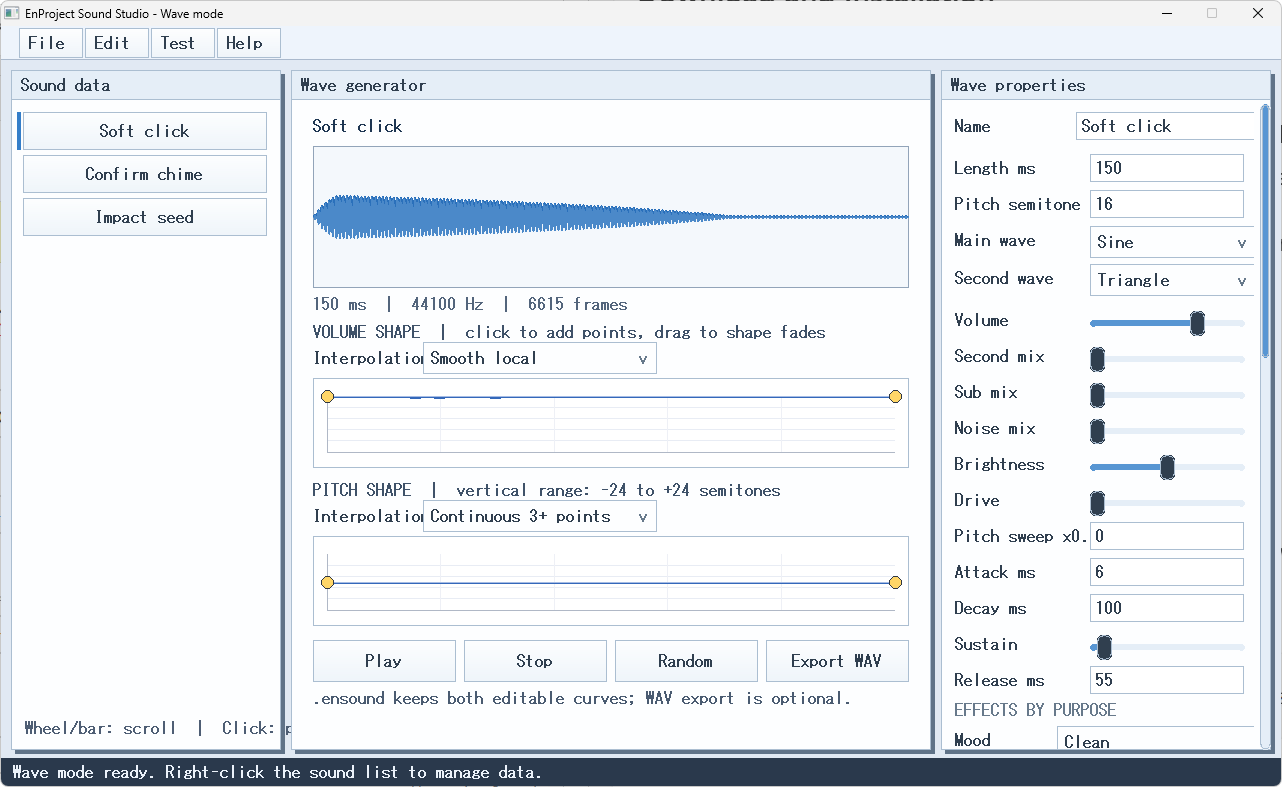
EnProject Sound Studio is an experimental Windows tool for creating short sound effects for games, applications, and prototypes.
You can combine sine, triangle, saw, square, and noise waveforms, then adjust the length, pitch, volume, brightness, drive, pitch movement, and other sound properties.
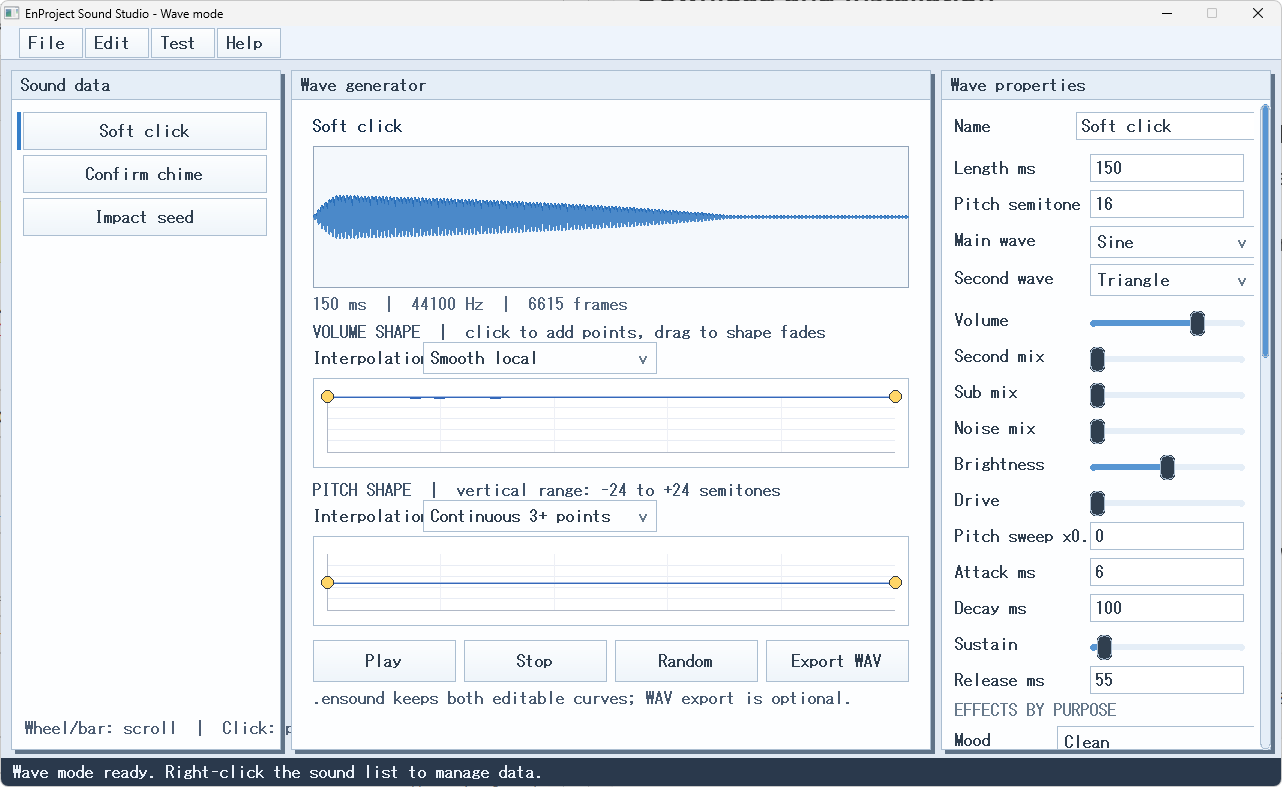
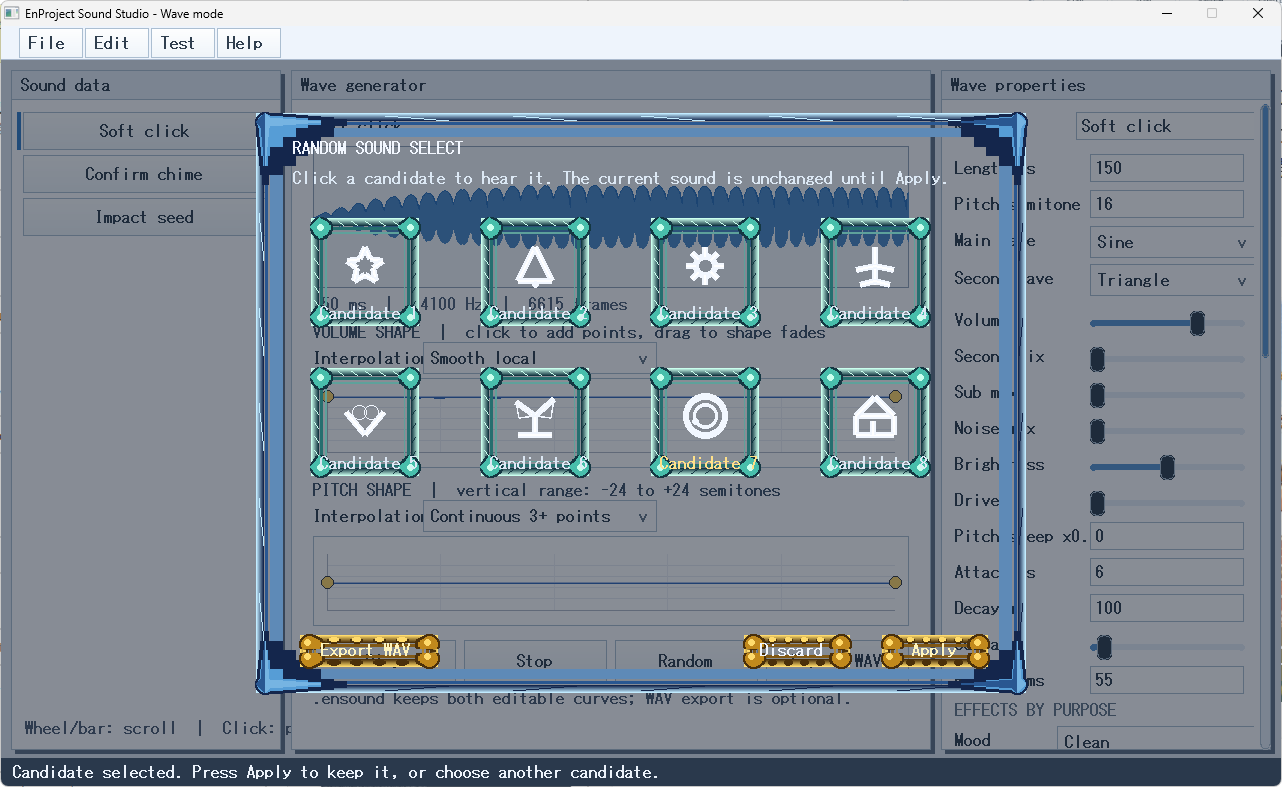
Volume and pitch changes can be edited over time using visual graphs. The random feature generates eight candidates that can be auditioned before applying one. You can also select a purpose or mood and compare eight processed effect variations.
Created sounds can be exported as WAV files. Editable source data can be saved in the custom .ensound format, which stores waveform settings, curves, effects, and imported WAV data for later editing.
Main Features
- Sound generation using basic waveforms and noise
- Length, pitch, volume, brightness, drive, and pitch-sweep controls
- Visual volume and pitch curve editing
- Comparison of eight randomized sound candidates
- Comparison of eight purpose-based effect variations
- Filters, delay, reverb, tremolo, and other effects
- Sound preview inside the application
- WAV export
- Editable
.ensoundsound-bank saving and loading - WAV importing and embedding
- Included starter bank for first-time use
Quick Start
- Extract the downloaded ZIP file.
- Keep the EXE, DLL files, DATA folder, and licenses folder together.
- Run
EnProject Sound Studio.exe. - Select File > Open .ensound.
- Open
DATA/SoundStudio_Starter.ensound. - Select a sound and press Play.
- Try the Volume and Pitch graphs, Random, and Mood features.
- Save editable work as an
.ensoundfile and export completed sounds as WAV files.
Press F1 to open the built-in guide.
Current Development Status
This software is an early public preview.
It is currently designed as a single-source sound editor. The following features are incomplete or planned for future development:
- Multi-track mixing
- Layered sound creation
- Loop-point editing
- BPM-based sequencing
- Spatial audio
- Final multi-layer mixing
Please keep backup copies of important .ensound files while the software is under development.
Development updates, demonstrations, and videos are posted on X.
For questions, bug reports, feedback, and information about how I handle DMs, please refer to my itch.io profile.
Credits
Created and directed by ProgramC
Prompt design and product concept: ProgramC
Developed with OpenAI Codex
X: @win11user
Download
Install instructions
Download and Installation
- Download the ZIP file.
- Extract the ZIP file to any folder.
- Run
EnProject Sound Studio.exefrom the extracted folder. - Keep the EXE, DLL files,
DATAfolder, andlicensesfolder together.
No installer is required. The application can be used after extracting the ZIP file.
After launching the application for the first time, select File > Open .ensound and open DATA/SoundStudio_Starter.ensound.
If Windows displays a security warning, verify the source and contents of the downloaded file before running it.
This software is intended for 64-bit Windows 10 and Windows 11.
Please keep backup copies of important .ensound files.
Leave a comment
Log in with itch.io to leave a comment.